Quilt Block Patterns
Pick a traditional block and a finished size, colour it your way, and get the cutting list for every fabric.
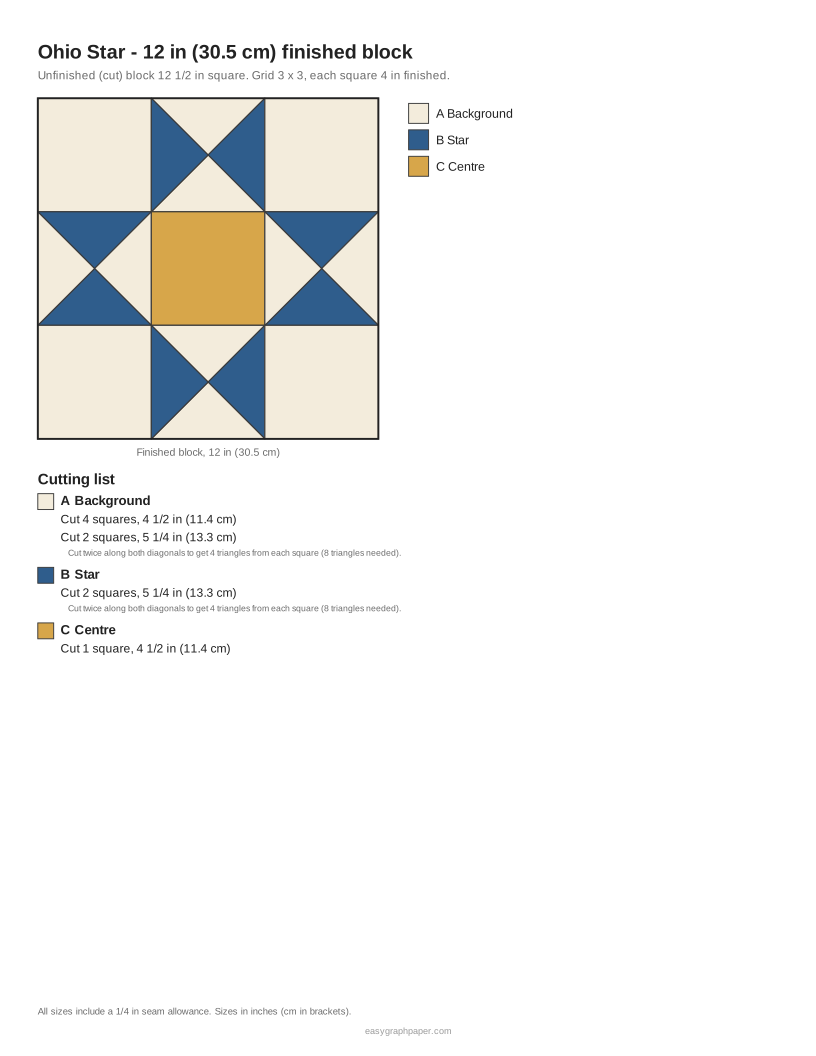
This quilt block patterns tool draws traditional quilt blocks at any finished size you choose and writes a rotary cutting list for every fabric, with 1/4 in seam allowances included. It covers 21 classic blocks, from Four Patch and Nine Patch to Ohio Star and Log Cabin, so you can plan a quilt before you cut any fabric.
Use it to find quilt block patterns in sizes from 4 in to 16 in, or set a custom size from 1 to 96 in. It works as a quilt block designer and quilt pattern maker in your web browser. It is free, needs no account, and works on phones and tablets. If you are new to quilting, start with the simple quilt blocks in the Easy group, then try the Stars and Classic groups when you are ready for more detailed designs.
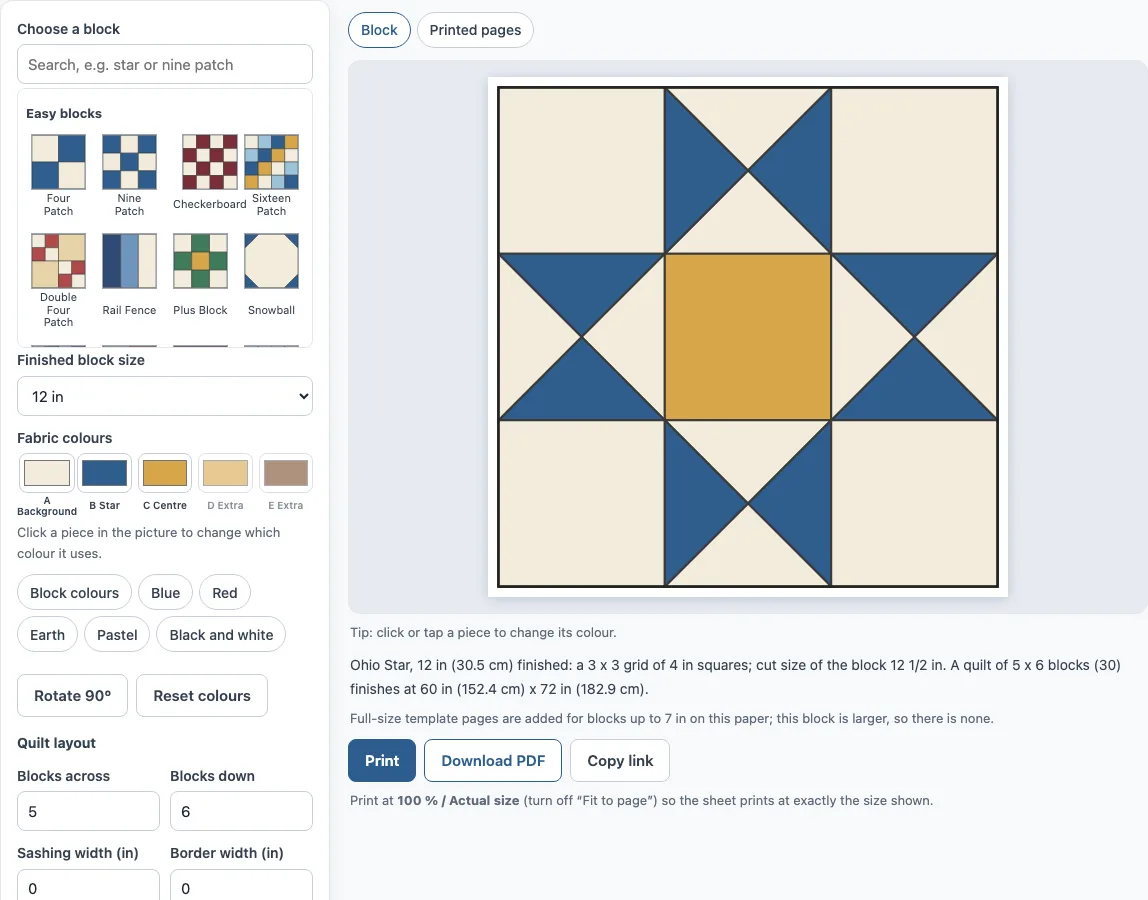
How to use the quilt block patterns tool
- Pick a block. Search by name, such as ’nine patch’, ‘9 patch’ or ’economy block’, or browse the Easy, Stars and Classic groups.
- Set the Finished block size. Choose 4, 6, 8, 9, 10, 12 (the default), 14 or 16 in, or enter a custom size from 1 to 96 in.
- Check the unit warning. If a unit would not land on a 1/8 in ruler mark, the tool says so and suggests sizes that do. For example, Ohio Star at 10 in suggests 9, 10 1/2 or 12 in.
- Choose your fabrics. Set Fabric colours A to E with the colour pickers, or pick a set from Colour schemes: Blue, Red, Earth, Pastel, Black and white, or Block colours.
- Click or tap any piece to change which fabric it uses.
- Click Rotate 90° to turn the block.
- Read the cutting list for each fabric. The seam allowances are already included.
- Set the quilt layout. Choose Blocks across and Blocks down (1 to 12 each, default 5 × 6), Sashing width (0 to 6 in) and Border width (0 to 24 in).
- Open Printed pages to view the block diagram, the quilt layout and, where the block fits, the full-size template.
Click Reset colours to return the fabric colours to their starting values. The block diagram includes the grid, colour key and cutting list, so you can keep it beside your cutting mat.
How to calculate quilt block size?
Every block sits on a 2 × 2, 3 × 3, 4 × 4 or 6 × 6 grid of units. Block size equals the number of units across multiplied by the size of one unit. A 3 × 3 block such as Ohio Star or Nine Patch at 12 in has 4 in units, because 3 × 4 = 12. At 9 in, the same block has 3 in units.
To work backwards, divide the finished block size by the number of units across. If the answer is not a multiple of 1/8 in, the units will not line up with a ruler, and the tool shows a warning. That is why a 10 in Ohio Star does not work well: 10 ÷ 3 does not give a neat measurement. Choose 9, 10 1/2 or 12 in instead. Finished size is the size inside the seams, so measure your units from it.
What size to cut squares for half square triangles?
For a half-square triangle (HST), cut two squares to the finished size plus 7/8 in. Sew them together, then cut across the diagonal to make two HSTs. So a 3 in finished HST starts from 3 7/8 in squares. If you prefer, the Oversize and trim option uses squares 1 in larger than finished, which you trim after sewing.
Other pieces follow the same logic. A plain square or rectangle is cut 1/2 in larger than its finished size. Quarter-square triangles start from squares at finished size plus 1 1/4 in, cut twice on the diagonal to make four triangles.
In the default 12 in Ohio Star, which has 4 in units, the background cuts are 4 squares at 4 1/2 in and 2 squares at 5 1/4 in. The star fabric uses 2 squares at 5 1/4 in, and the centre uses 1 square at 4 1/2 in. A 9 in Nine Patch needs nine squares at 3 1/2 in.
The tool does not make foundation paper pieced quilt block patterns; every block here is cut with a rotary cutter from squares, triangles and strips, and the optional full-size template is for checking and hand tracing.
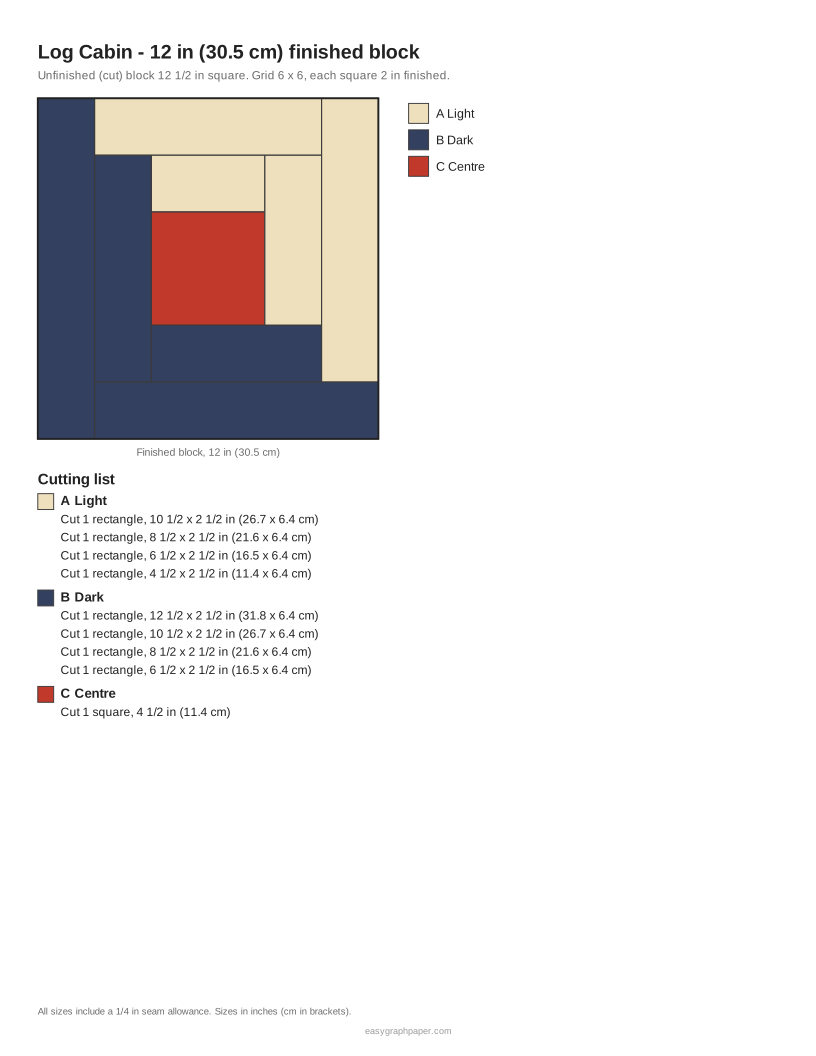
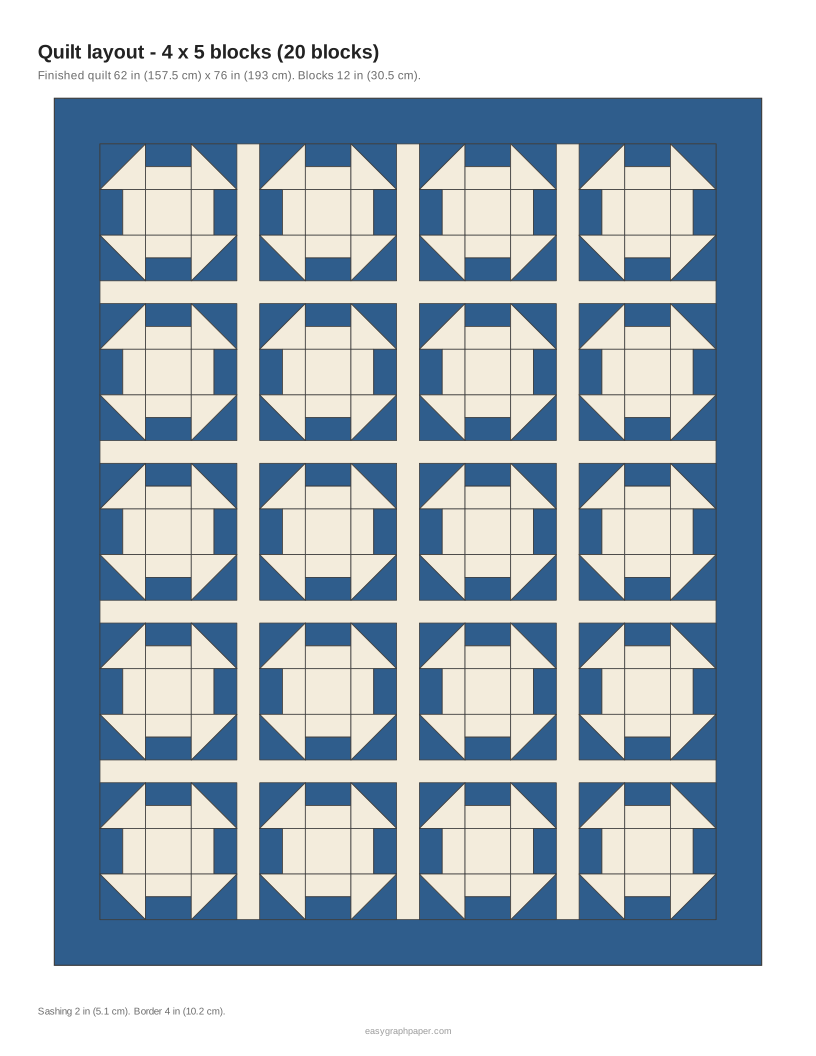
Examples made with this generator
Frequently asked questions
What is the difference between finished and unfinished block size?
The finished size is the size of the block inside the seams once it is sewn into the quilt. The unfinished size is the block as it comes off the machine, 1/2 in larger. A 12 in finished block is 12 1/2 in unfinished.
How many blocks do I need for a quilt?
Multiply Blocks across by Blocks down. The default 5 × 6 layout uses 30 blocks, which measures 60 × 72 in at 12 in per block. Sashing and borders change the finished size, so check the quilt layout after you set them.
Can I print a block at full size?
Yes, when the block fits on your paper. The full-size template, with finished lines, a dashed 1/4 in seam line and 1 in and 2 cm check squares, appears in Printed pages when the block plus seams is about 7 in or smaller on US Letter. Larger blocks get the block diagram and cutting list instead.
Can I sell quilts made from these patterns?
Yes. These are traditional block designs, and quilts you sew from them are yours to use, give or sell, for example on Etsy or at a craft fair. The only limit in the site terms is that the printed sheets themselves may not be resold as a stand-alone pattern product.
Is it free, and does it work on a phone?
Yes. The tool is free, needs no account and runs in your web browser on phones, tablets and computers. Nothing you choose is sent anywhere; Copy link keeps the block, size and colours in the page address.
Related tools
- Quilt binding calculator: use it when your quilt top is finished and you need to work out how much binding to cut.
- Barn quilt patterns: browse large painted-quilt designs if you want a block pattern for a wall or barn.
- Grid paper: sketch your own block layouts by hand on squared paper before you commit to fabric.
- 1 inch graph paper: draw block grids at a 1 inch scale when you want to plan a design on paper.
- 10x10 grid: colour a 10 × 10 grid to try a block or a quilt layout in squares.
- Hex grid paper: plan hexagon quilts and English paper piecing layouts by hand.
- Cross stitch fabric calculator: size a stitched panel before you set it into a quilt.