Perler Bead Pattern Maker
Add a picture and get a printable fuse bead pattern with the colours and number of beads you need.
How to use the Perler Bead Pattern Maker
- Add a picture. Click the picture button, drag a file onto the preview, or paste an image from the clipboard. The sample picture stays until you add your own; use “Use sample picture” to bring it back.
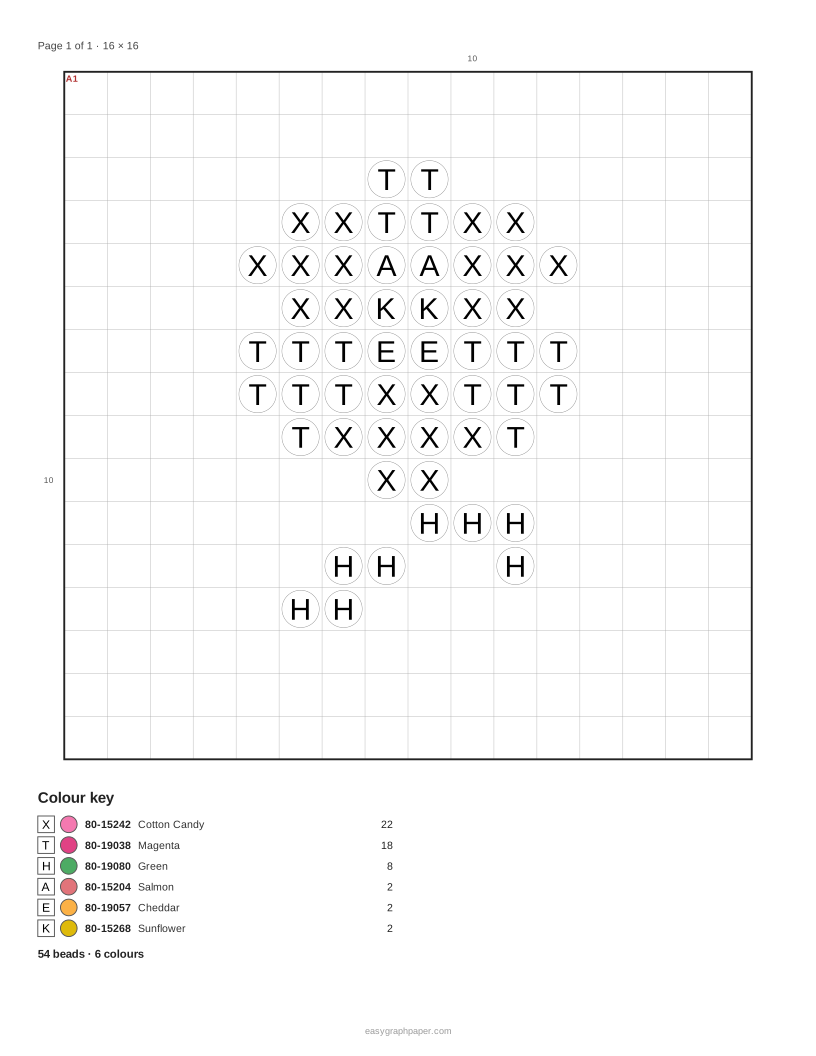
- Set the width in beads, from 8 to 200. The height follows the picture’s proportions. 16 and 29 are popular widths.
- Choose a bead palette: Perler, Hama Midi or free colours.
- Set the maximum colours, from 2 to 60.
- Choose a style: round beads in colour, or symbols and codes.
- Choose the page layout: ‘Fixed size, spread over pages’ prints the beads at true size, ‘Whole chart on one page’ fits the pattern on one sheet. For true size, set the bead pitch (5 mm for midi beads, 2.6 mm for mini beads) and the pegboard size (29, 14 or none).
- In the colour key under the preview, press ‘Leave out’ next to any colour you do not want, such as the background. Those pegs stay empty.
- Check the key, then choose Print, Download PDF or Copy link.
Presets for ‘1 pegboard (29×29)’, ‘2×2 pegboards (58)’, ‘16×16 sprite’, ‘Fit on one page’ and ‘Hama Midi colours’ give you a starting point. Paper settings include US Letter, A4, US Legal, Tabloid, A3 and A5, in portrait or landscape, with margin, an optional title and the number of copies. A PNG download of the coloured pattern is also available. Copy link shares your settings, not your picture.
How to make a perler bead pattern from a picture
The tool reduces your picture to a grid with one bead per square. Each bead takes the average colour of the part of the picture it covers, then is matched to the nearest colour in the palette you chose.
The palette sets the names and codes you will see in the key. The screen colours are approximations measured from real beads, so the preview may look slightly different from the finished pattern. Maximum colours limits how many different colours the match can use. Fewer colours means fewer beads to sort and a simpler design, while more colours keep fine detail. Dithering mixes dots of two colours in a pattern, which can suggest a shade the palette does not have. Remove stray single beads clears lone beads that break up a solid area.
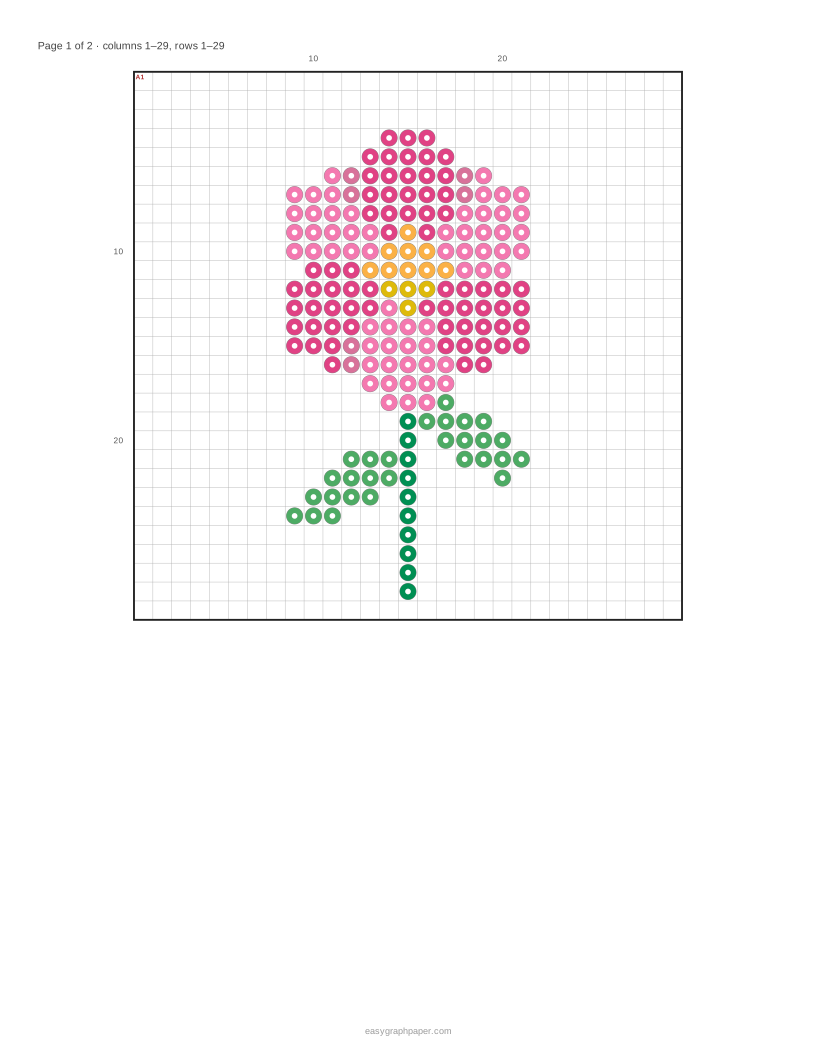
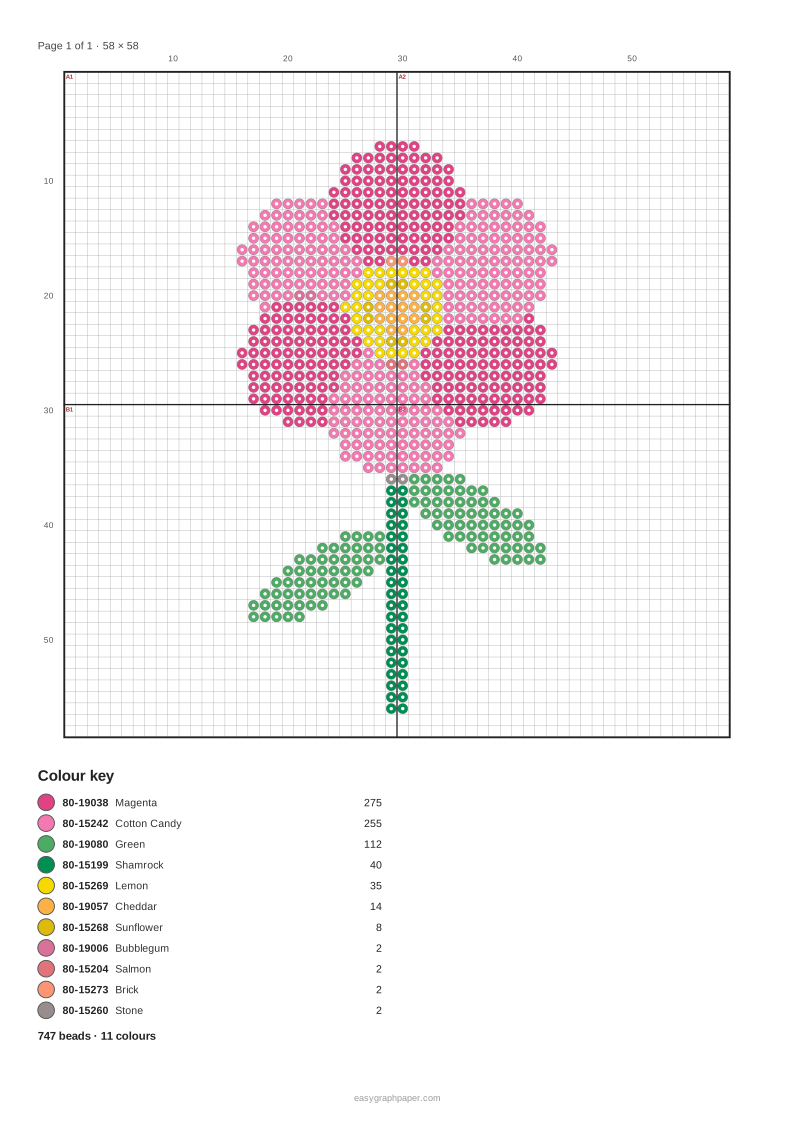
Bold lines mark each pegboard, one every 29 beads on the large square board, and the boards are labelled A1, A2 and so on. This lets you build a large design one board at a time and match the pieces together.
How do I iron the finished design?
Place the printed sheet under a clear pegboard (or copy it bead by bead), fill each peg with the colour shown, cover the beads with ironing paper and iron on medium heat with slow circles until the beads fuse. Let the piece cool flat under a heavy book so it does not curl, then turn it over and iron the back if you want both sides fused. Children should iron only with an adult.
How many beads do I need for a perler bead pattern?
The key lists the number of beads for each colour, and adding those counts gives the total for the pattern. Only coloured pegs are counted, so a colour you leave out, such as the background, does not add to the total.
For example, the sample flower on one 29 x 29 board uses 187 beads in 7 Perler colours. The most used colours are Magenta (69 beads) and Cotton Candy (61 beads). At 58 beads wide, it covers 2 x 2 boards and needs 747 beads in 11 colours, printed on 4 pattern pages plus a key page. The number of beads grows with the area of the grid, so doubling the width roughly quadruples the count.
Examples made with this generator
Frequently asked questions
Can I print the pattern at bead size?
Yes. Set Page layout to ‘Fixed size, spread over pages’, then set the bead pitch to 5 mm for midi beads or 2.6 mm for mini beads. Measure your pegboard first, because boards differ slightly, then lay the printed sheet under a clear pegboard.
Does it work for Hama beads?
Yes. Choose Hama under Bead colours, or use the ‘Hama Midi colours’ preset. The key then lists the Hama Midi colours, which are matched from a range of 92 colours. For midi beads, use the 5 mm bead pitch in actual-size mode.
Is my picture uploaded anywhere?
No. The picture is processed only in your browser and is never uploaded. The settings are stored in the page address, but the picture is not.
How do I share my settings?
Click Copy link to share your settings. The link does not include your picture, so the person opening it will need their own image or the sample picture.
Do I need an account to use it?
No. The tool is free, needs no account, and works on phones and tablets as well as computers.
Can I make a pattern for mini beads?
Yes. Choose the 2.6 mm (mini) bead size with the fixed-size page layout, so the printed pattern matches the smaller pegboard spacing. Measure your board before you print a large pattern.
Related tools
- Pixel art grid: use it to plan a design square by square before you turn it into beads.
- Cross stitch pattern maker: use it to turn a picture into a stitch chart when you want thread instead of beads.
- Filet crochet chart maker: use it to create a chart for filet crochet blocks.
- Cross stitch graph paper: use it to print blank squares for sketching a design by hand.
- 10x10 grid: use it for a small, simple grid when you want to draw a basic shape.
- Paint by numbers generator: use it to make a numbered colouring sheet from a picture.