Cross Stitch Fabric Calculator
Enter the design size in stitches and your fabric count to see the finished size and how much fabric to cut.
How to use the cross stitch fabric calculator
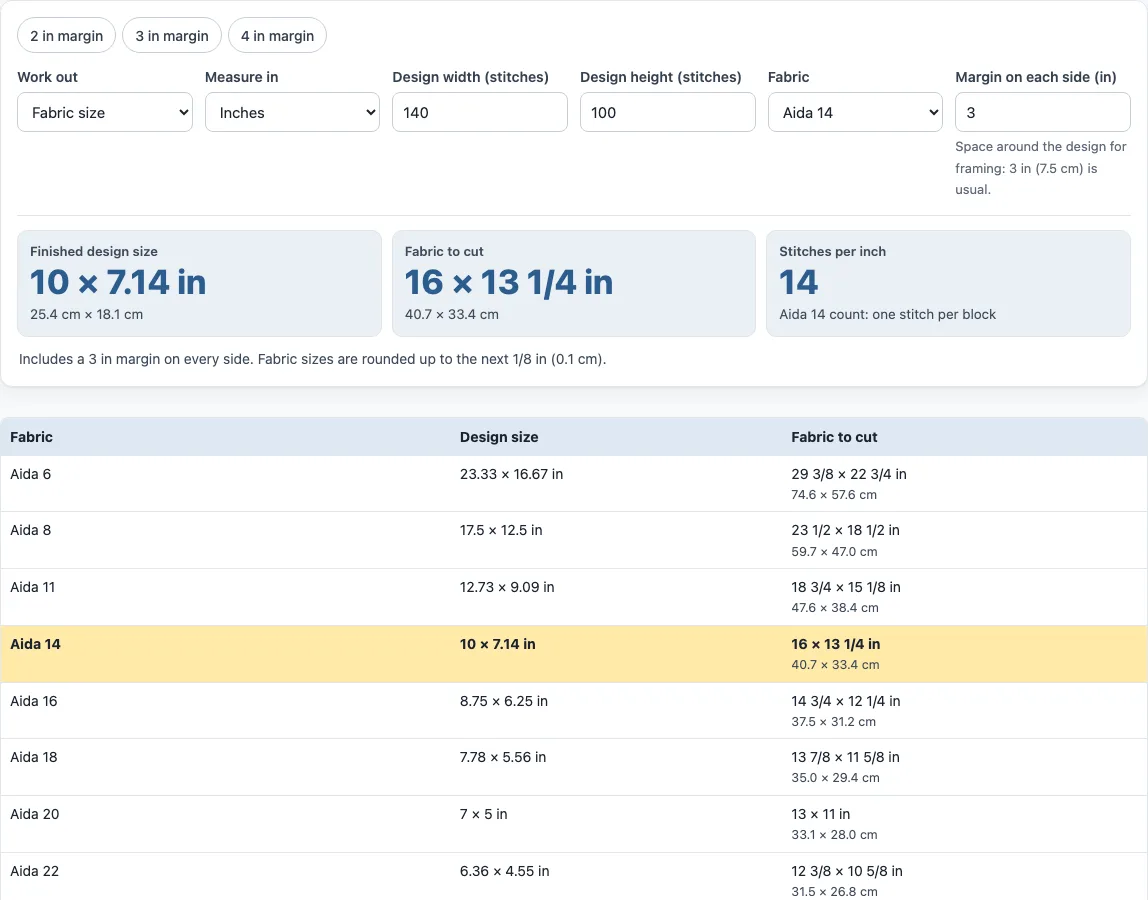
- Under Work out, keep Fabric size to find how much fabric to cut. Choose Stitches that fit if you already have a piece or frame and want to know how many stitches it can hold.
- Under Measure in, select inches or centimetres.
- Enter the pattern’s Design width (stitches) and Design height (stitches). The default is 140 × 100.
- Under Fabric, pick a count such as 14-count Aida (the default), or an evenweave or linen count, or enter a custom count from 4 to 80 per inch.
- For evenweave, linen or a custom count, choose Stitch over 2 threads (the usual choice) or 1 thread.
- Set the Margin on each side. The default is 3 in (7.5 cm), and the quick buttons set 2, 3 or 4 in.
- Read the results. They update as you type, so there is no Calculate button. Check the comparison table to see the same design on other common counts, with your chosen count highlighted.
Number fields accept decimals and fractions, such as 2 1/2 or 2½. Print or Download PDF makes a one-page result sheet; choose your paper size under Page and print settings. Copy link saves your current inputs in the page address, so the same calculation opens again later.
How do I calculate the size of a cross stitch?
A finished cross stitch design depends on two numbers: how many stitches wide and high the pattern is, and how many stitches fit in one inch of fabric. Divide the stitch count by the stitches per inch to get the design size.
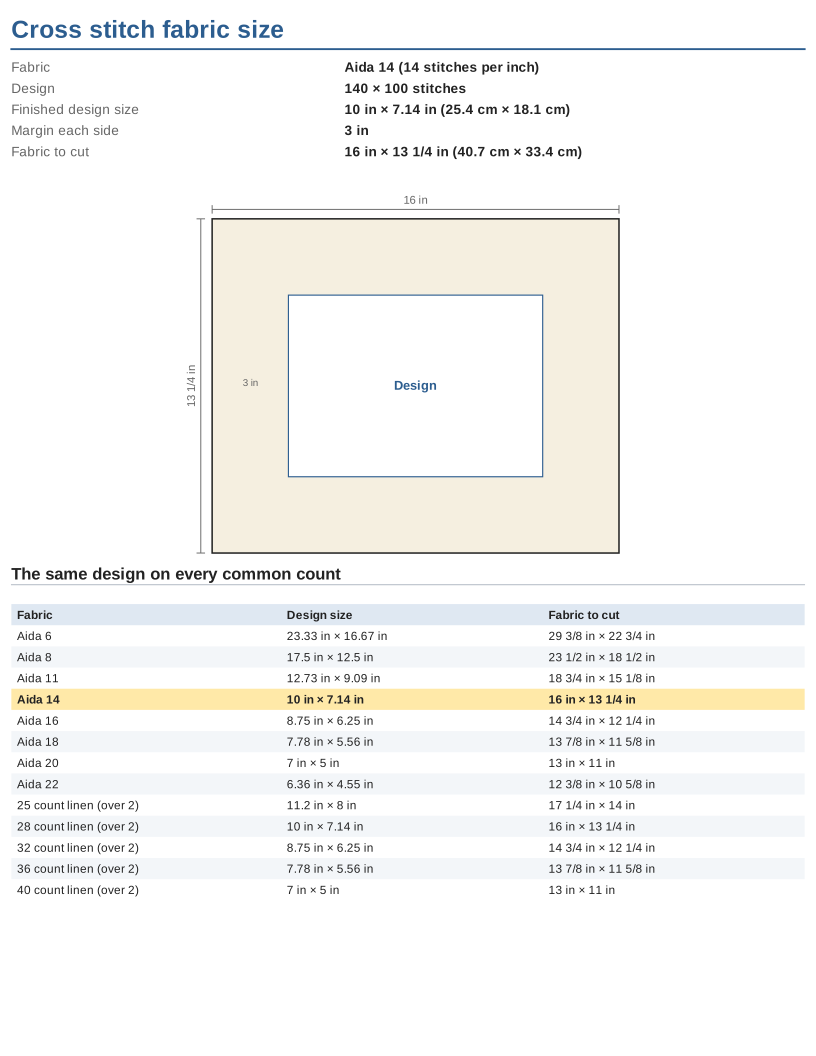
For example, a 140 × 100 stitch design on 14-count Aida gives 140 ÷ 14 = 10 inches wide and 100 ÷ 14 = 7.14 inches high. On Aida, each cross covers one block of the fabric, so the count is the number of stitches per inch.
To work out the fabric to cut, add the margin on each side to the design size: fabric = design size + 2 × margin. With a 3 inch margin, the design needs 10 + 6 = 16 inches in width and 7.14 + 6 = 13.14 inches in height. The tool rounds each result up to the next 1/8 inch (or 0.1 cm), so the piece is never too small. The height therefore shows as 13 1/4 in.
What does 28 count over 2 mean?
Evenweave and linen are woven from threads you can count, so their count is the number of threads per inch. Most stitchers work each cross stitch over 2 threads in each direction, which halves the number of stitches per inch.
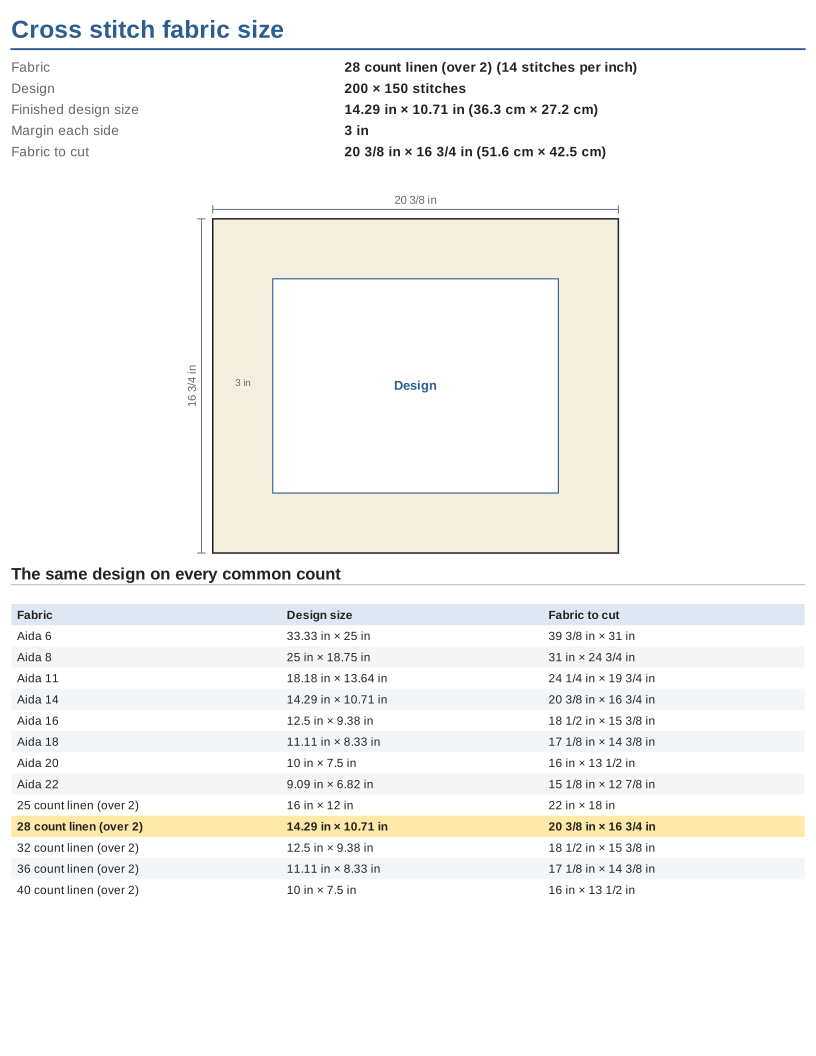
So 28-count linen over 2 gives 14 stitches per inch, the same as 14-count Aida, and a design will be the same size on both. 25-count over 2 gives 12.5 stitches per inch. If you stitch over 1 thread instead, 28-count gives 28 stitches per inch, and the same design comes out half the size.
Choosing a count: low counts such as 6, 8 or 11 make big stitches that are easy to see, which suits children and beginners; 14-count is the usual Aida; 16 and 18 give finer detail. The same chart comes out smaller on a higher count, so the comparison table is the quickest way to choose a fabric for the size you want.
Examples made with this generator
Frequently asked questions
How much fabric do I need for cross stitch?
Take the finished design size and add the margin twice in each direction, once for each side. For a 140 × 100 design on 14-count Aida with a 3 inch margin, the cut size is 16 × 13 1/4 in. The calculator does this sum for you.
How big a margin should I leave?
A 3 inch (7.5 cm) margin on every side is a common allowance for framing and for holding fabric in a hoop or frame. Small pieces such as cards and ornaments can use less. Change the margin field to see the effect on the cut size.
How many stitches fit on my fabric?
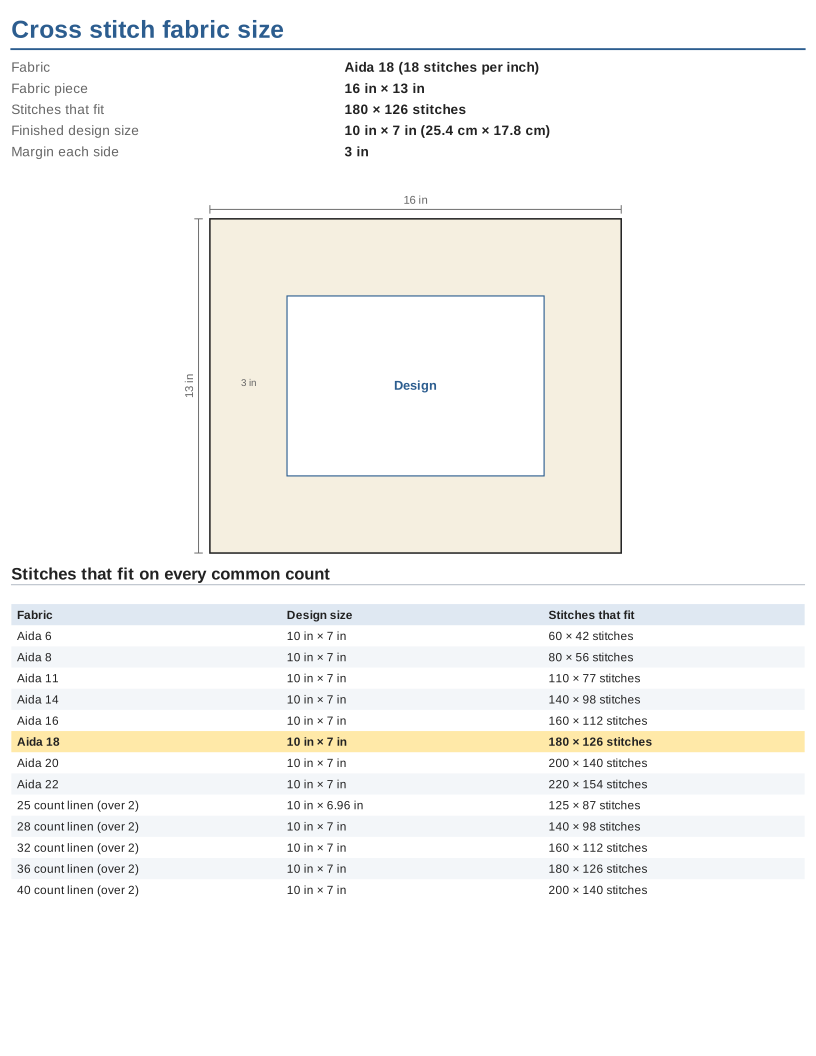
Switch Work out to Stitches that fit and enter the piece or frame size. The tool shows how many whole stitches fit across and down inside the margins. For example, a 16 × 13 in piece with 3 in margins holds 140 × 98 stitches on 14-count Aida.
Does the cross stitch calculator work in centimetres?
Yes. Choose centimetres under Measure in, and the results show one decimal place, such as 25.4 × 18.1 cm for the default design.
Can I use the calculator for linen?
Yes. Select an evenweave or linen count, such as 28 or 32, and choose whether to stitch over 2 threads or 1. Over 2 threads is the usual choice.
Related tools
- Cross stitch pattern maker: use it to turn an image into a stitch chart once you know the design size.
- Cross stitch graph paper: use it to plan a design by hand on printable squares.
- Knitting needle size chart: use it to compare needle sizes when you knit.
- Knitting gauge calculator: use it to work out how many stitches a knitting project needs.
- Perler bead pattern maker: use it to create a bead pattern grid from an image.
- Grid paper: use it for general planning on printable grids of any size.
- Quilt binding calculator: use it to estimate how much binding a quilt needs.