Filet Crochet Chart Maker
Turn a picture or your own design into a printable filet crochet chart, or a colour graph for tapestry and mosaic crochet.
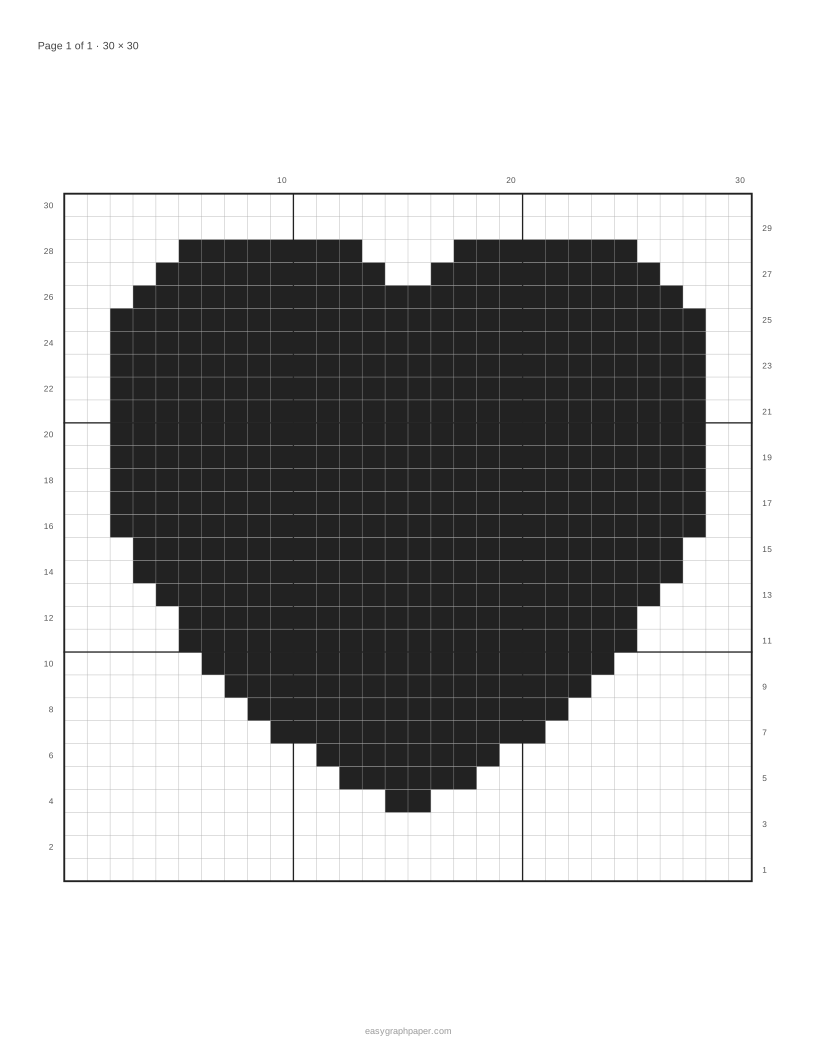
Filet crochet makes pictures from a mesh of open and filled squares. This free filet crochet chart maker turns a picture into a filet chart that you can print, save as a PDF, or download as a PNG. It runs in your browser, needs no account, and works on phones, tablets and computers.
Your picture is processed only in your browser and is never uploaded. Simple bold shapes, silhouettes and lettering give the clearest filet charts. The same tool also makes colour graphs with 2 to 8 colours for tapestry crochet, mosaic crochet and corner-to-corner (C2C) designs, with a key that counts the squares of each colour. Use it to design a chart from scratch or to tidy one made from a photo.
How to use the filet crochet chart maker
- Add a picture. Click the picture button, drag a file onto the preview, or paste an image from the clipboard. Until you add your own, a built-in sample picture shows; ‘Use sample picture’ brings it back.
- Choose a mode. Select filet for an open-and-filled chart, or Colour graph (tapestry / mosaic) for a coloured grid.
- Set the width. Enter a width in squares from 8 to 200. A wider chart shows more detail.
- Set the darkness threshold. Enter a value from 1 to 254 (default 128). Higher values fill more squares, and lower values fill fewer.
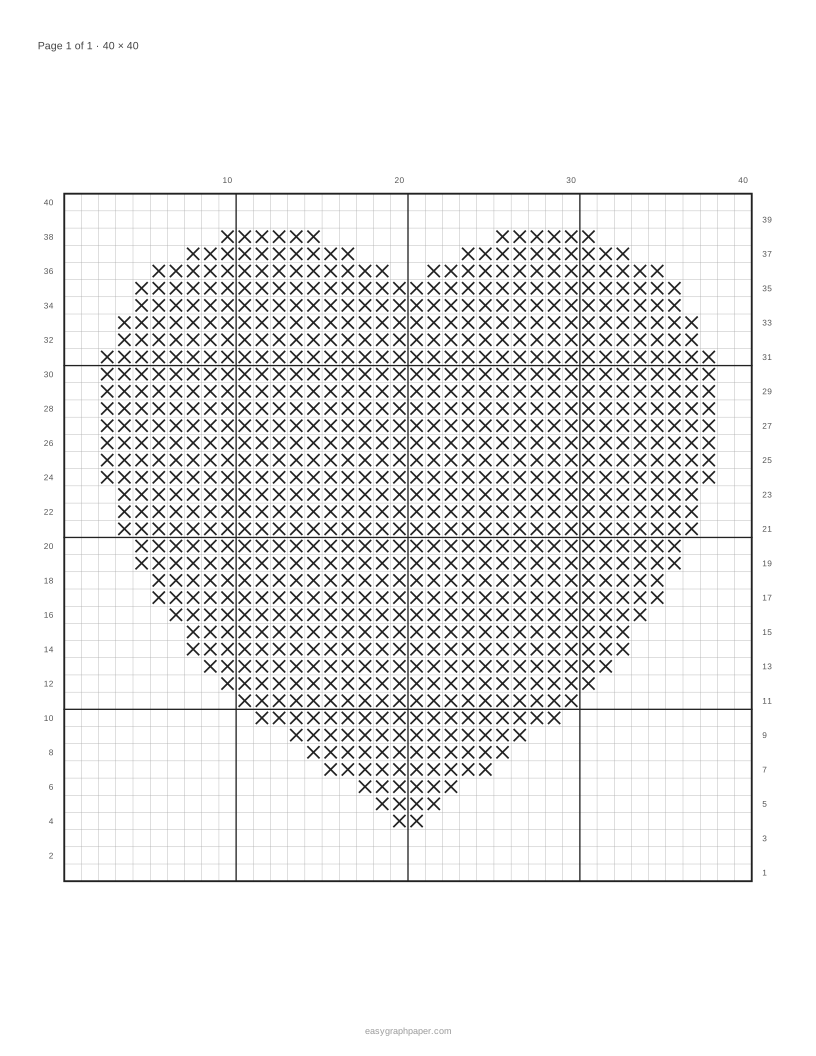
- Choose the look: tick ‘Swap filled and open squares’ if needed, then pick solid blocks or X marks and the row numbers (alternating sides, left only, or none).
- Click Edit squares (filet mode) and click or drag on the grid to flip squares between block and open; ‘Undo my edits’ clears your changes.
- Choose the page layout: the whole chart on one page, or a fixed square size spread over several pages.
- Set the page. Pick a paper size (US Letter, A4, US Legal, Tabloid, A3 or A5) and portrait or landscape.
- Output. Click Print (all pages), Download PDF (all pages in one file), or Copy link. You can also download a PNG of the chart.
The presets ‘Filet, 30 squares’, ‘Filet, 50 squares’, ‘X marks’, ‘Tapestry, 4 colours’ and ‘Mosaic, 2 colours’ give you a quick starting point. Copy link shares your settings, not your picture.
How to read a filet crochet chart
Each square on a filet chart is either open, which is a space, or filled, which is a block. Rows are numbered from the bottom, and row 1 is the first row you work, so you start at the bottom of the chart and move upward.
In the usual double-crochet mesh, an open square is worked as chain 2, skip 2, then 1 double crochet. A filled square is worked as 2 double crochet into the space or stitches, then 1 double crochet. Each square is three stitches wide and shares its edge stitch with the next square, so the chart maps directly onto the mesh.
When row numbers alternate, odd rows sit on the right and even rows sit on the left. This matches how you work: you turn the piece at the end of each row. Odd rows are read right to left and even rows left to right, for right-handed crocheters. If you prefer every number on one side, choose left-only numbering.
How to turn a picture into a crochet pattern
The tool averages your picture into a grid of squares, then fills every square darker than the darkness threshold. Transparent areas stay open, so a cut-out silhouette needs no extra work.
The threshold decides what counts as dark. Invert reverses the result, which helps when a light subject on a dark background comes out the wrong way round. Wider charts keep more detail, but a simple shape with strong contrast gives the cleanest result, because small changes in light and shade blur together when the picture is averaged into squares.
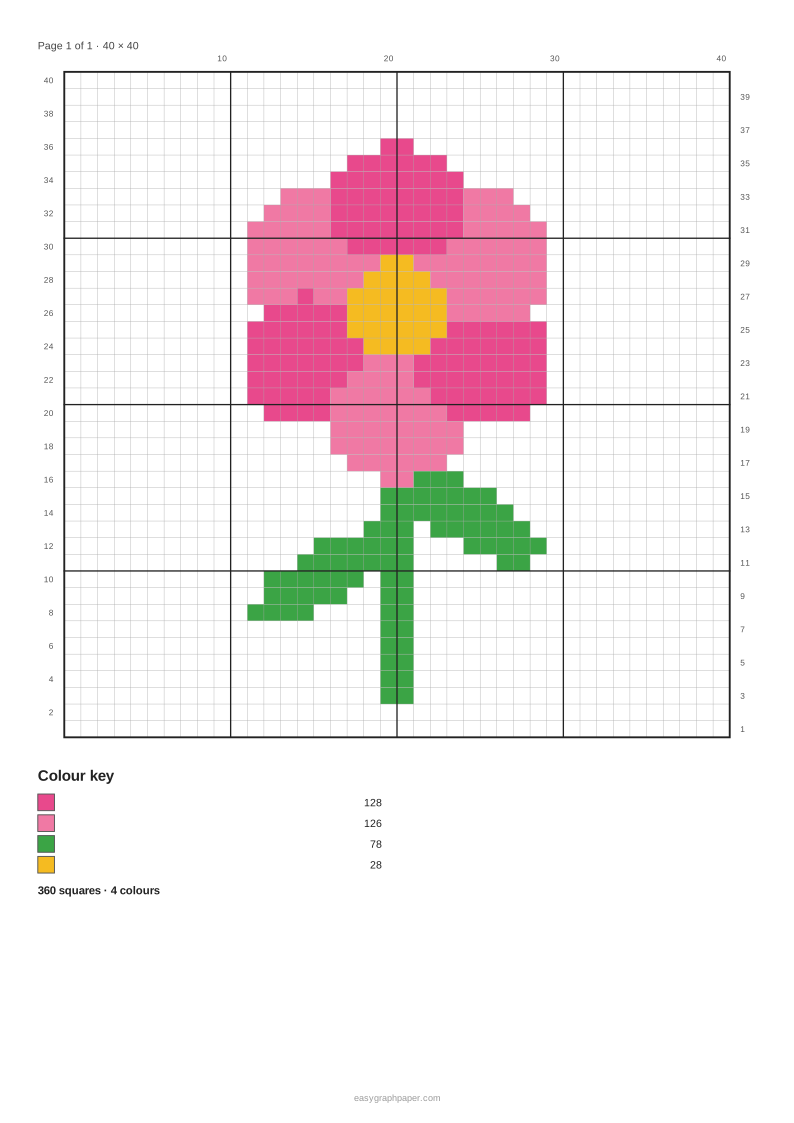
For a coloured design, colour graph mode reduces the picture to between 2 and 8 free colours and gives a key with the number of squares in each colour. The sample heart at 30 squares wide becomes a 30 x 30 chart with 506 filled squares. The sample flower, shown as a 4-colour tapestry graph 40 squares wide, uses 360 coloured squares. The key lets you count how many squares of each colour to work before you start.
Examples made with this generator
Frequently asked questions
How do I make a mosaic crochet pattern?
Mosaic crochet is worked in two colours, so start with the ‘Mosaic, 2 colours’ preset (or Colour graph (tapestry / mosaic) with two colours) and adjust the width until the shapes read clearly. The graph shows the picture square by square; it does not mark the dropped stitches of overlay or inset mosaic, so use it to plan the design and then write the rows in the mosaic method you follow.
How do I make a crochet tapestry pattern?
Choose the ‘Tapestry, 4 colours’ preset, or pick any number of colours from 2 to 8 in colour graph mode. Simple, high-contrast pictures give the clearest tapestry graphs.
How do I crochet from a diagram?
Start at the bottom of the chart and work row 1 first. Read each row using its number and the side it is printed on, then follow the open and filled squares for that row.
Is my picture uploaded anywhere?
No. The picture is processed only in your browser and is never uploaded. Only the settings are stored in the page address.
Can I print a chart larger than one sheet of paper?
Yes. Set Page layout to ‘Fixed size, spread over pages’ and the chart is split across pages. You can then print all pages or download them together as one PDF.
Does it cost anything or require an account?
The tool is free and needs no account. It works on phones and tablets as well as computers.
Related tools
- Cross stitch pattern maker: use it to turn a picture into a cross stitch chart with symbols for each colour.
- Perler bead pattern maker: use it to plan a bead design on a square grid before you start placing beads.
- Pixel art grid: use it when you want a plain grid for drawing pixel art by hand.
- Cross stitch graph paper: use it when you want blank printable graph paper for designing a stitch chart yourself.
- Grid paper: use it when you need a general square grid for sketching or planning.
- Paint by numbers generator: use it to turn a picture into a numbered colouring design with a key.